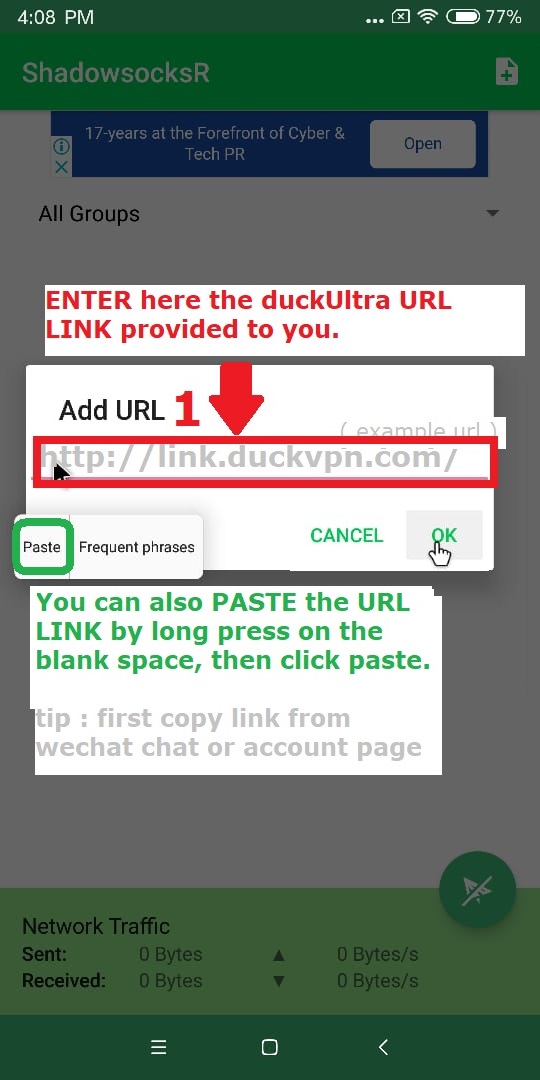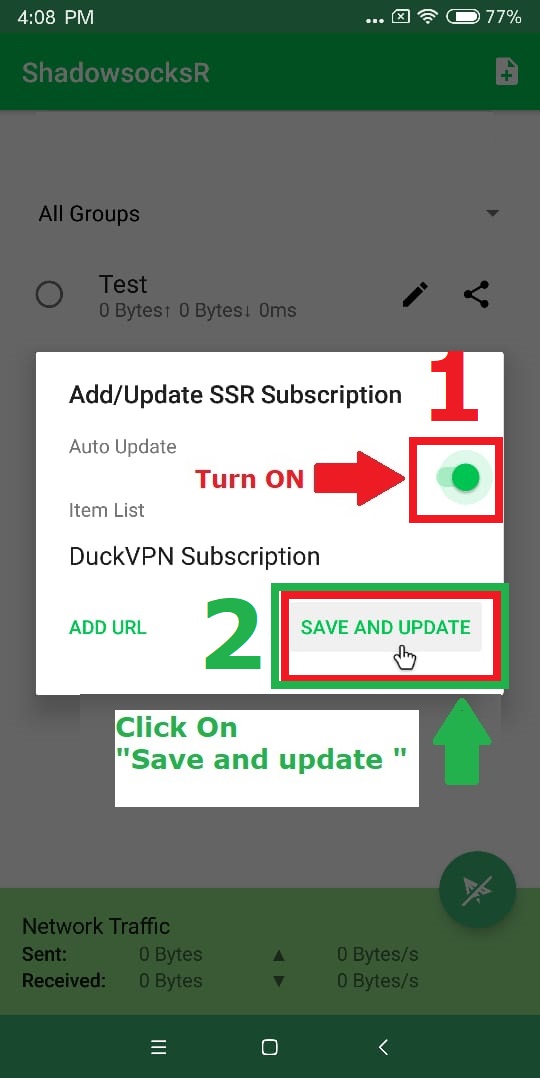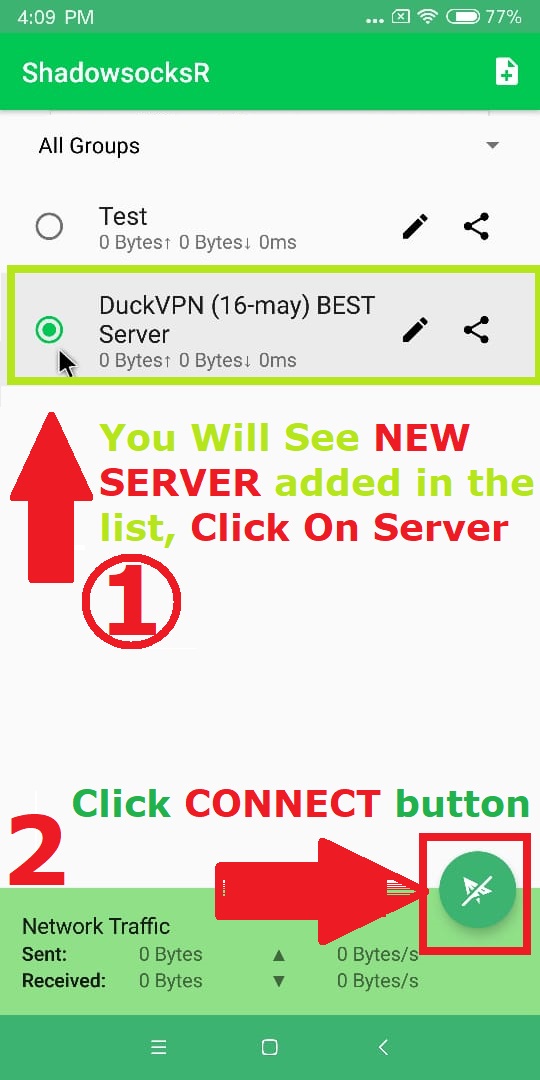
DuckVPN Settings for Android Mobile/Tablet etc
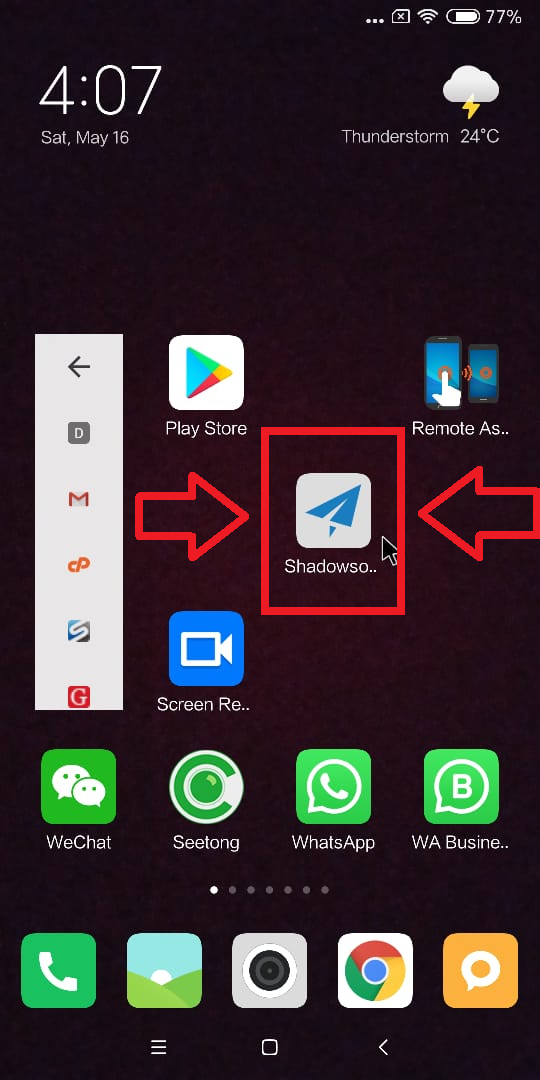
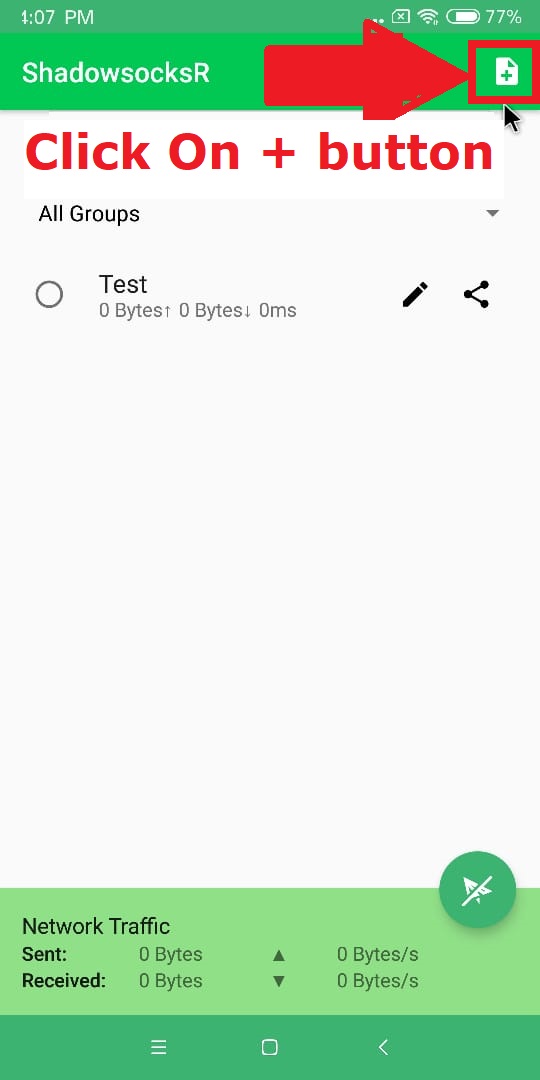
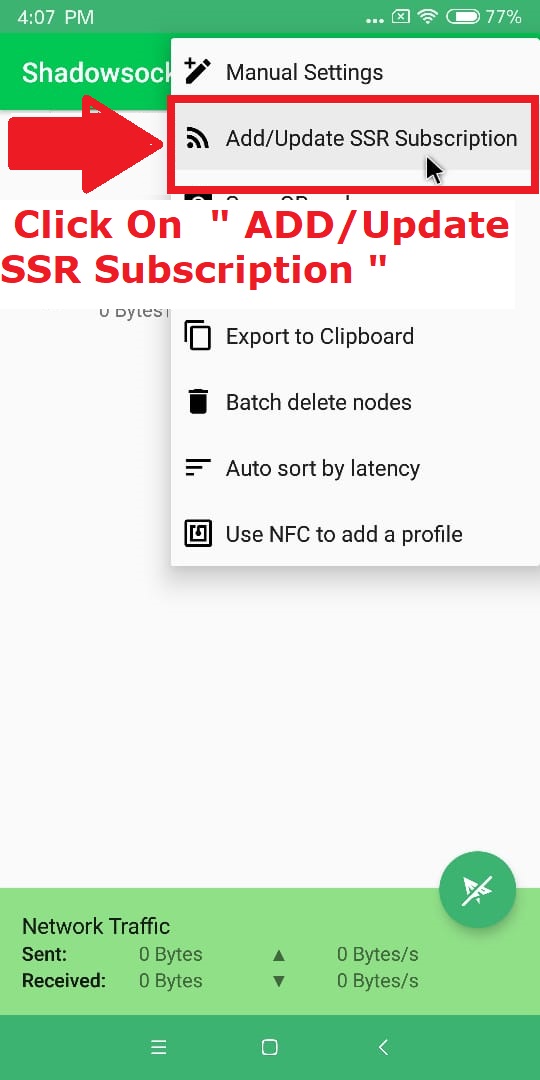
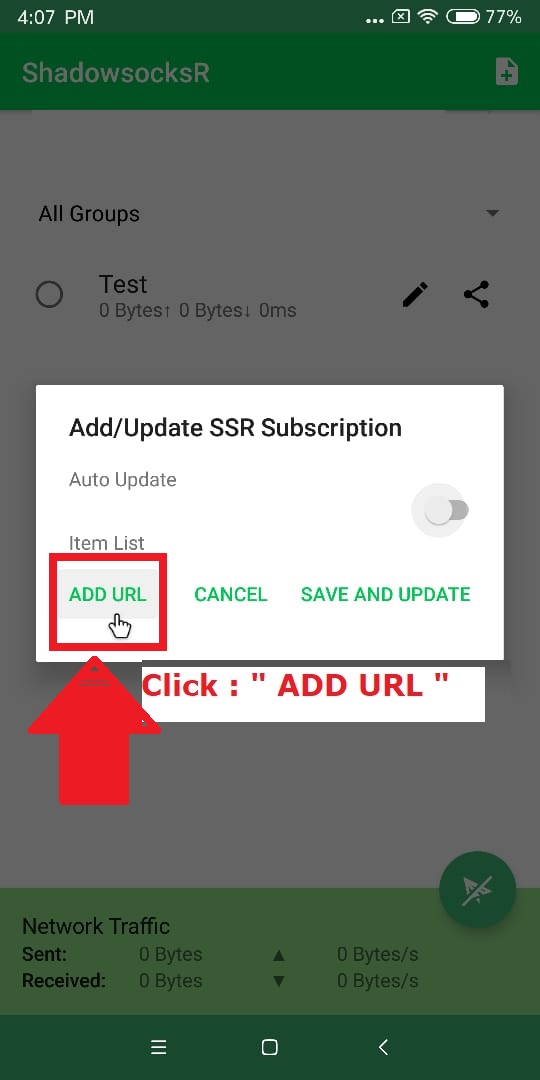
To make it user friendly, DuckVPN service will be made available with ShadowSocksR App
You need to DOWNLOAD then INSTALL DuckVPN ShadowSocksR App
Download DuckVPN APP
Click to download the APP
Once you successfully DOWNLOAD the software in your Phone, INSTALL it.
If You dont see any security notification, Continue to Step 2
OR, IF
After Step 1) If you see Error “For Security Reasons Your Phone is not allowed to install Unknown Source Apps” Follow this >> Go To Your Phone/Tablet Settings > Tap “Security” Or “Privacy” This will open the Security menu. > Scroll down and check Tick the “Unknown sources APP” option. Tap “OK” to confirm.
You can try reinstalling DuckVPN ShadowsocksR App again Now